
Everything you can build with Dashable
Dashable is a drag-and-drop dashboard editor for Home Assistant — not another config file to learn. Beautiful custom dashboards, a growing widget library, real automations, a HACS integration that runs your dashboards inside Home Assistant, and a connection that stays 100% local.
Built to do more than the built-in dashboards
Home Assistant’s built-in dashboards are great for quick control. Dashable is for people who want to design something beautiful, flexible, and truly their own — visually, with no YAML.
True Drag-and-Drop
Place, size, layer, and align every widget visually with pixel-perfect control. No YAML, no Lovelace config, no guesswork.
Rich Widget Library
Lights, climate, cameras, weather, charts, media, and more — beautifully designed widgets that are endlessly customizable.
Automations & Dynamic Logic
Make widgets change color, text, icons, or visibility based on live state. Build interfaces that react to your home in real time.
100% Local & Private
Your data never passes through our servers. Dashable talks to Home Assistant directly from your browser.
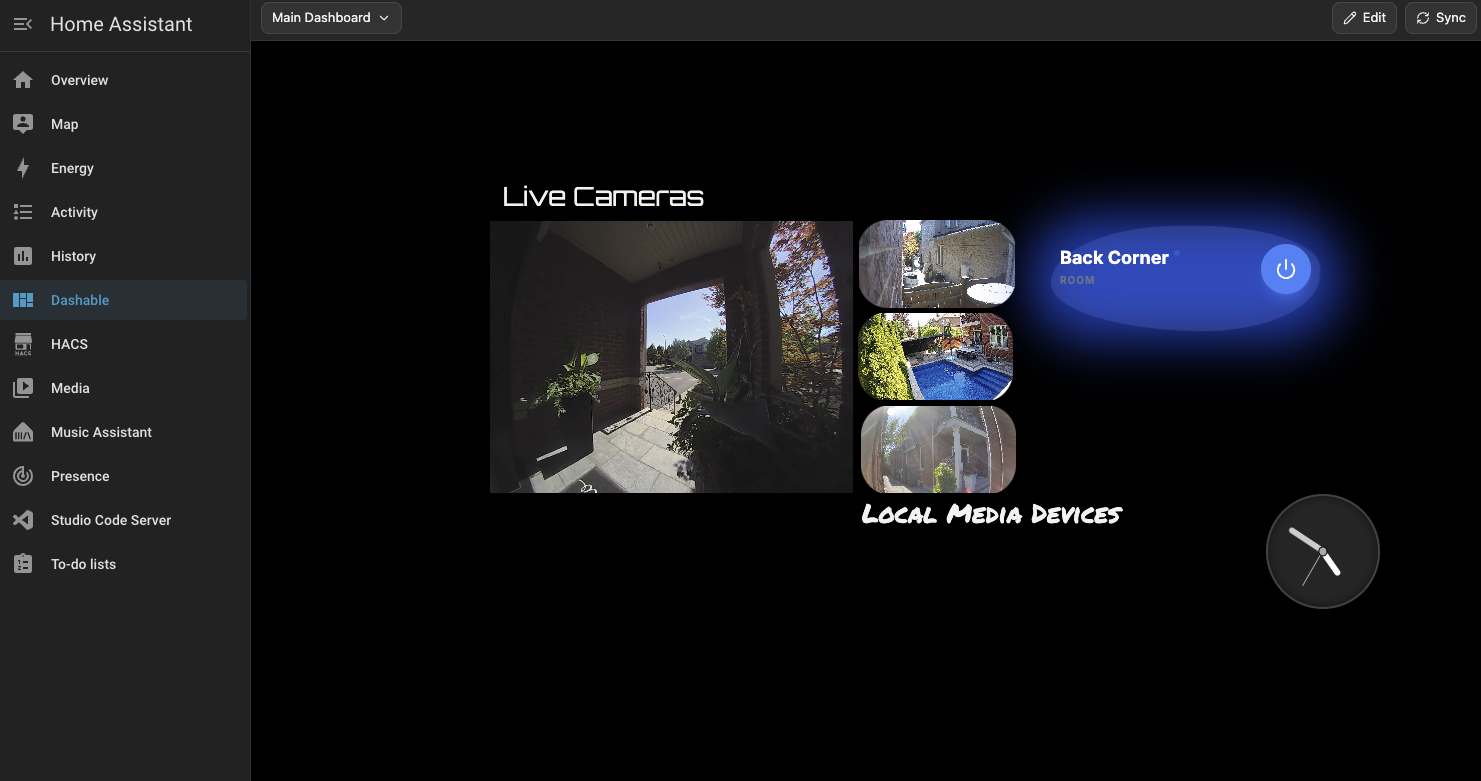
Design in Dashable, run it anywhere — even inside Home Assistant
Build a stunning dashboard in Dashable’s editor, then run it however you like: in any browser, on a wall tablet, or — with the HACS integration — right inside Home Assistant’s own sidebar, fully offline. One editor. Beautiful results. And you’re never locked to our cloud to use what you built.
Explore every feature
Dive into any part of Dashable.