
Run Dashable Dashboards Right Inside Home Assistant
Install the Dashable integration through HACS — the Home Assistant Community Store — and Dashable appears in your Home Assistant sidebar. Open your dashboards natively: no browser tab, no cloud dependency, even completely offline.
A native home for your dashboards
Design in Dashable, then live inside Home Assistant.
Install via HACS
Dashable isn’t in HACS’s default list, so you add it once as a custom repository — then it installs and updates like any other integration. A “Dashable” item appears in your Home Assistant sidebar.
Runs Through HA Ingress
Your dashboards are served locally through Home Assistant’s own ingress — no extra ports to expose, and nothing routed through Dashable’s servers.
Multiple Dashboards, One Picker
Sync more than one dashboard and switch between them with a built-in picker. Each one loads exactly as you designed it.
Fully Offline Capable
Once your dashboards are in Home Assistant, they keep working with no connection to Dashable at all — pure local control.
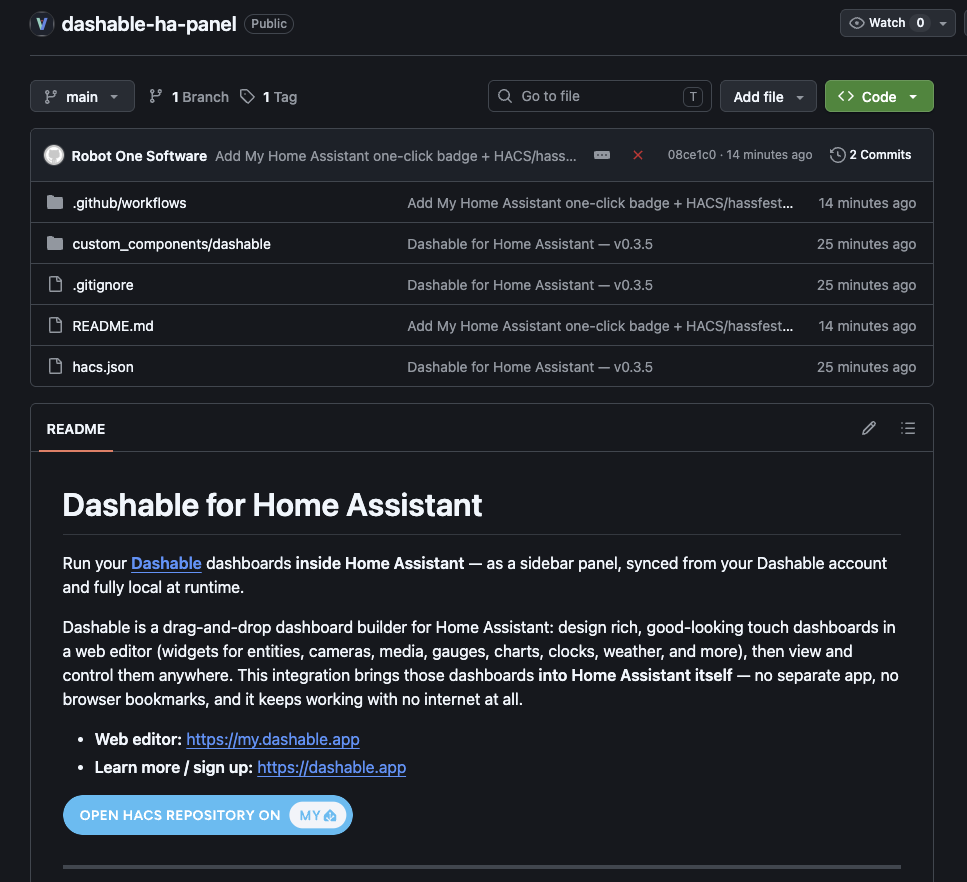
Design in Dashable, open it in Home Assistant
The workflow is simple: build and perfect your dashboard in Dashable’s drag-and-drop editor, then it syncs to the Dashable integration in Home Assistant. Click “Dashable” in your HA sidebar and your dashboard opens right there — same widgets, same layout, same live data — served locally through Home Assistant. It’s the best of both worlds: Dashable’s beautiful editor, running natively where your smart home already lives.
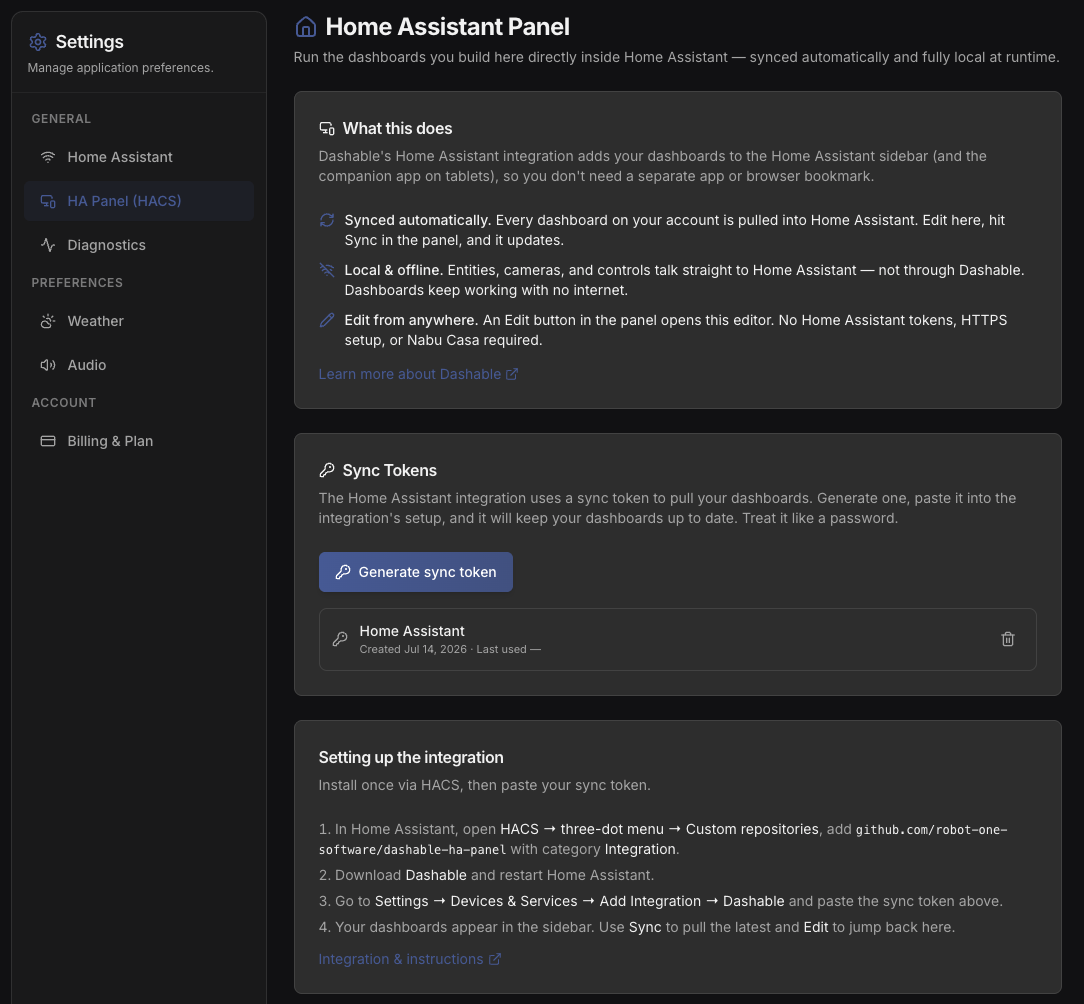
Easy to install through HACS, easy to keep updated
Dashable isn’t in HACS’s default store, so the first step is HACS, then the three-dot menu, then Custom repositories — add https://github.com/robot-one-software/dashable-ha-panel with the category set to Integration. Download it, restart Home Assistant, and it’s in your sidebar. From then on, updates arrive through HACS just like your other integrations: update Dashable, refresh, and you’re on the latest. Because it runs through Home Assistant’s ingress, there are no extra ports to open and no reverse-proxy gymnastics. It just shows up in your sidebar.
Dashable-in-Home-Assistant FAQ
Explore more of Dashable
Every feature, built for a beautiful, private, local-first smart-home dashboard.