
Disconnect Any Time. Watch Home Assistant Stay Green.
Your home shouldn’t depend on someone else’s cloud. Dashable has a visible “Disconnect from Dashable” control that cuts our servers off completely — while your live Home Assistant connection keeps running. The privacy promise, made demonstrable.
You’re never locked in
Ownership and control are the whole point of a local-first tool.
A Visible Connection Indicator
See at a glance whether you’re connected to Home Assistant and to Dashable — as two separate states — right from the menu.
One-Click “Disconnect from Dashable”
Sever Dashable’s network traffic entirely. Your Home Assistant link stays live and green, proving your data never needed us in the first place.
True Offline Mode
Build dashboards, then run them completely disconnected from Dashable. Keep your connection details in your browser and go fully local.
Native in Home Assistant
Pair with the HACS integration to run your dashboards inside Home Assistant itself — no Dashable connection required at all.
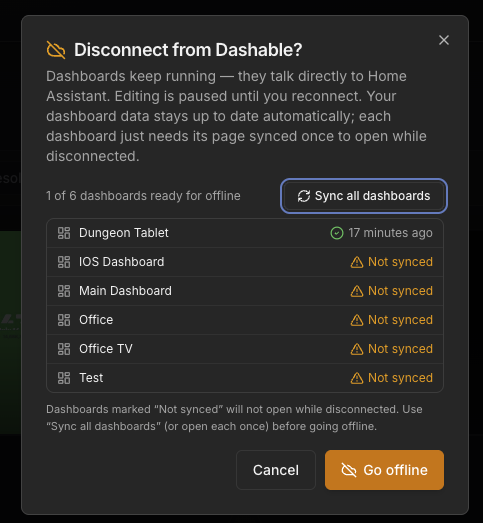
Proof, not promises
Most apps ask you to trust their privacy policy. Dashable lets you test it. A connection indicator in the interface shows two independent lights: your Home Assistant connection, and your Dashable connection. Hit “Disconnect from Dashable” and the Dashable light goes dark while Home Assistant stays green — because your dashboard was always talking straight to your home. You can even cut off our cloud entirely and keep right on controlling your smart home locally.
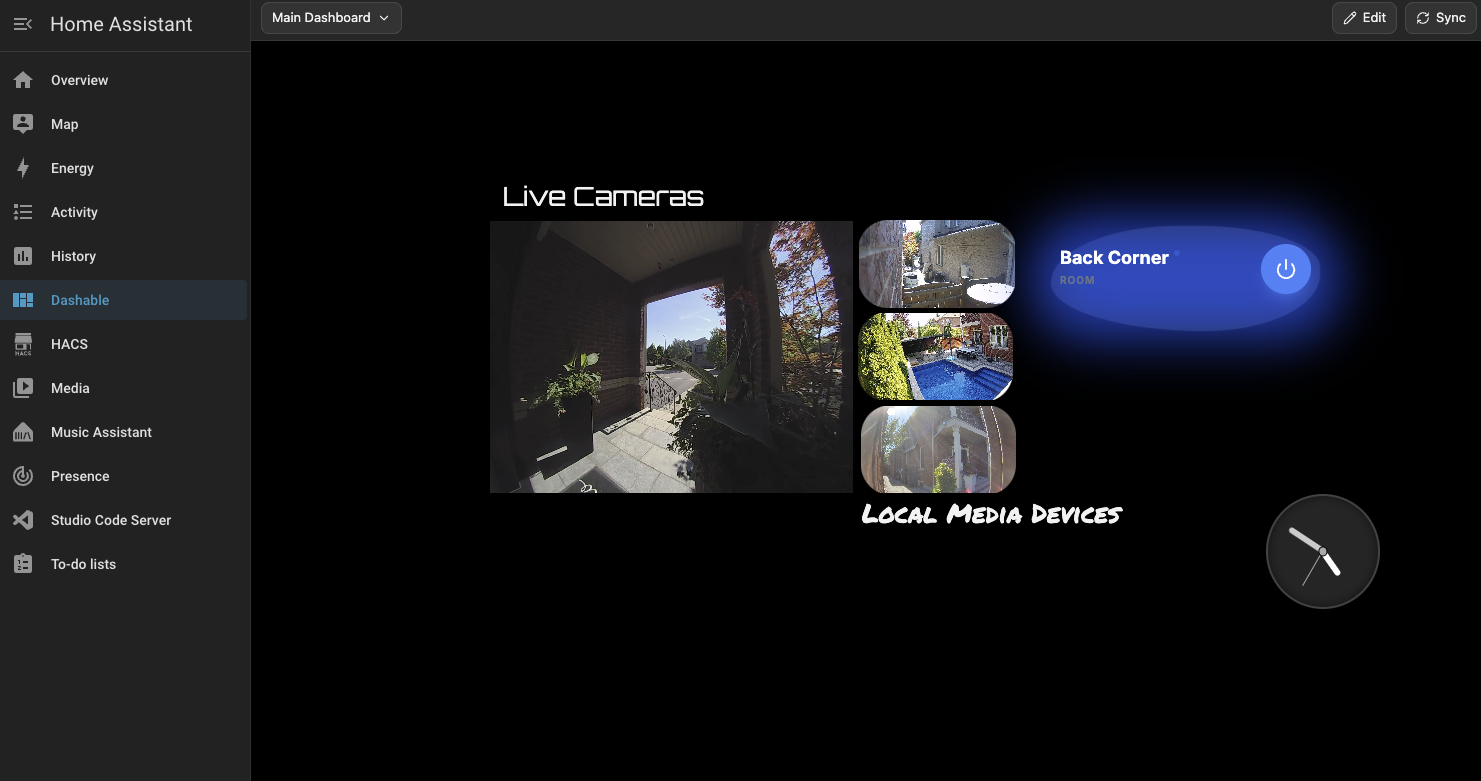
From “disconnected” to “fully native”
Offline mode is the first step; the HACS integration is the destination. Design your dashboards in Dashable, disconnect, and view them anywhere — including right inside Home Assistant through the HACS integration. The result: a beautiful, custom dashboard that lives entirely in your own home, with no ongoing dependency on our servers to keep it running.
Disconnect FAQ
Explore more of Dashable
Every feature, built for a beautiful, private, local-first smart-home dashboard.